SMOALD / Templates
// Digital products

The weeks you'd rather not spend twice.

Two things I already built, already tested and already run in production — a site design, and the account-and-billing machinery underneath a paid web app. Both exist because I needed them. Both took far longer than you'd want to spend again.

The theme is ready. Extracted, documented, licensed, and there is a live demo you can click through before you decide. The application starter below is still being packaged — I'd rather ship something finished than take money for a half-done download.

Website theme · HTML, CSS & JS ● Available now

Classic & Modern — a site theme
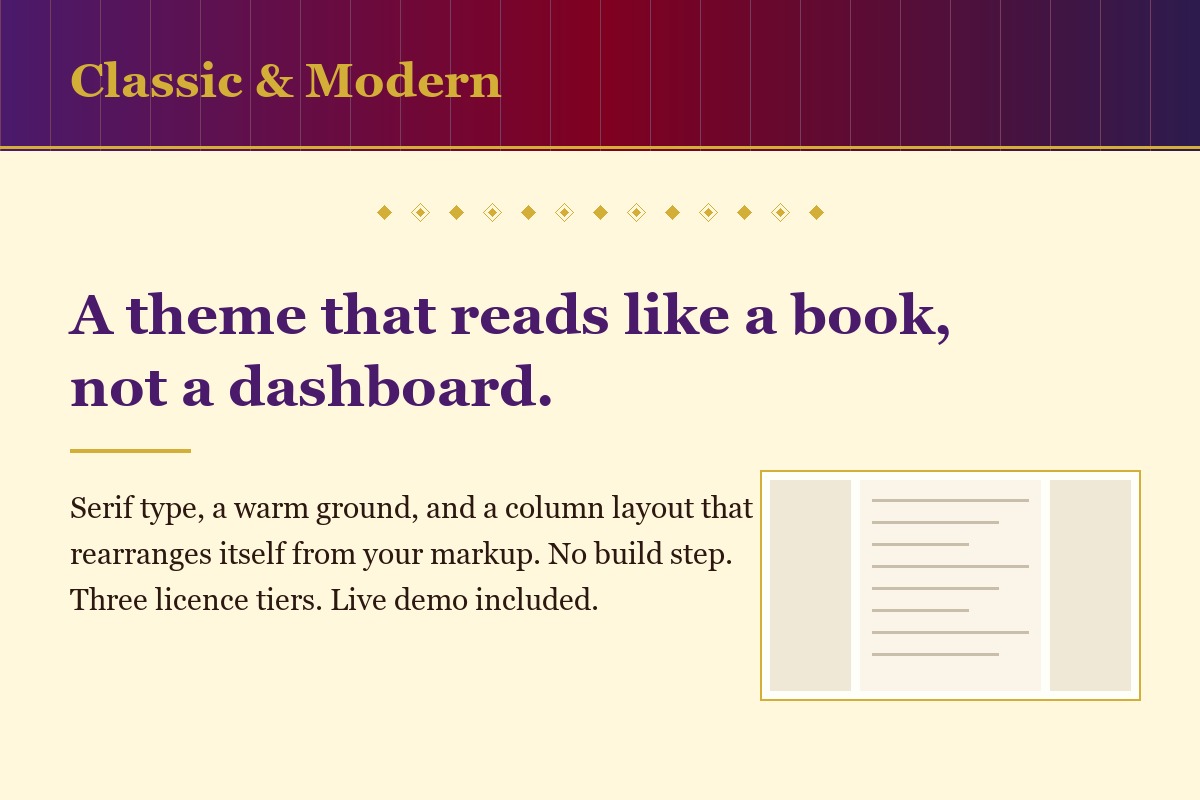
Classic & Modern: a serif theme on a warm ground, with a three-column layout

For developers who can build anything and would rather not design it

Most template libraries offer you the same flat sans-serif SaaS look, and using one quietly announces that nobody paid for design. This is the other thing: a warm, editorial treatment built on serif type and a deep gradient masthead — closer to a well-set book than a dashboard. It's the design running behind ThaiBridge AI, which you can open and scroll right now.

Instead of £1,500 – £3,000 Commissioning an original design, then waiting three or four weeks before a line of code gets written
You pay from £39 And you're building on it this afternoon

Why it’s worth paying for

  • A look you couldn't have produced yourself. Most developers know their design is the weak part and can't fix it by trying harder. This is taste you can buy, not a grid you still have to make attractive.
  • Never writing column CSS again. The layout detects what each page contains and becomes one, two or three columns on its own. Add a sidebar and it reflows. Remove it and it reflows back. You write no media queries for it.
  • The mobile work already done. Every component has been through real use on real phones, including the sticky sidebar and the menu — the two things that usually break first.
  • Rebranding in minutes, not a weekend. Every colour comes from one file. Change a handful of values and the whole site follows, including hover, focus and border states you'd otherwise hunt down one by one.

See it before you buy it

Open the live demo → Five pages, four different layouts, and a second colourway — all of it the theme with nothing custom added. Click through it properly; that is what you are buying.

What is in the download

  • Five HTML pages, each showing a different layout
  • theme.css — the whole theme, one file, 33 colour tokens
  • colourway-slate.css — a second identity as a worked example
  • theme.js — menus and collapsible sections, keyboard accessible
  • A START-HERE guide, README, changelog and licence
How to use it — the ten steps

The first three have nothing to do with the theme, and they are half the job.

How the job goes

  1. Decide what the site is for — who it is for, and what you want a visitor to do.
  2. Plan your pages. Five or six is plenty. That list becomes your menu.
  3. Gather your content first — the words for each page, your photos, your logo, two or three brand colours.
  4. Open index.html and click through the demo. Notice which layout suits each of your pages.
  5. Copy the folder and rename it after your site. Leave the original untouched.
  6. Keep the pages you need, delete the rest, duplicate one for any extra.
  7. Swap the words and pictures, one page at a time. Home first.
  8. Change the site name and the colours. One block at the top of theme.css controls the colours for every page.
  9. Open every page, click every link, try it on your phone.
  10. Upload the folder to any web host. Nothing to install.

Stuck on any step? Email support is included for 60 days. And if you would rather not do steps 5 to 10 at all, installation on your domain starts at £150.

What it isn't: a page builder, a CMS or a component framework. It's HTML and CSS you edit by hand — which is why there's no build step and nothing to keep updated. If that's not how you want to work, I'll install and customise it for you instead.

Application starter · Flask In preparation

The engine — a Flask SaaS starter

For anyone building something they intend to charge money for

Accounts and billing are the part of a paid product that nobody enjoys building and everybody has to. They're also the part where a small mistake is expensive rather than embarrassing. This is that machinery, taken out of a working application and stripped back to a foundation you build your own product on.

Instead of 2 – 6 weeks Of your own time wiring up accounts, subscriptions and webhooks — and then testing the failure cases you haven't thought of yet
You pay from £149 And spend that time on the thing people are actually buying

The mistakes it stops you making

  • Paid features unlocking for free. Anything the browser holds, a user can edit. Here the database is the only thing that decides who has paid, and only a signed message from Stripe is allowed to write to it. A tampered cookie unlocks nothing.
  • A customer who paid and can't get in. The worst billing bug there is: the money leaves, the upgrade doesn't happen, and you hear about it from an angry email days later. The webhook path here is the one that has already been run end to end.
  • An AI bill you find out about at month end. Connect a language model without limits and one loop or one abusive user writes you an invoice. Usage caps are built in rather than added after the first scare.
  • Accounts that vanish on deploy. A classic first-product disaster. This has been confirmed to survive redeployment with user data intact.
  • Changes that quietly break payments. 1,523 automated tests run on every change, so the billing path can't rot while you're busy building features.
Why this isn't just another starter kit

Most application starters are demonstrations that have never handled a payment. This one is lifted from an application that has been live since June 2026, with the full subscription and cancellation flow verified end to end against Stripe. You can open it, use it, and read every line of the code it came from.

What it isn't: a finished product. It's the foundation — accounts, billing, AI plumbing and tests. The thing customers actually pay you for, you still build. It also ships with generic demo content only; none of the language-learning material from ThaiBridge is included, because that content isn't mine to pass on.

// Honestly

Who these are for — and who they aren't.

I'd rather you didn't buy something that turns out to be wrong for you. It costs us both more than the sale is worth.

Buy one if

  • You're comfortable editing HTML, CSS or Python
  • You want a design that doesn't look like every other template
  • You're building something you plan to charge for
  • You'd rather spend your weeks on your actual product
  • You're a freelancer or agency who'll reuse it across client work

Don't buy one if

  • You want to edit your site by dragging things around
  • You've never run a project from a terminal
  • You need it live this week and don't want to learn anything
  • You're a business owner who just wants a finished website

That last one isn't a brush-off — it's most people, and it's exactly what my build service is for. I'll do the whole thing and hand you something finished.

// How buying will work

What you get, and what you're allowed to do with it.

Full source code

Everything, not a locked build. Edit it, extend it, take it to another developer.

Three licence tiers

Personal for one site of your own, Commercial for client work, Extended to build it into something you sell on. Read the terms.

Documentation

Requirements, installation, deployment and how to change things — written for a person, not a machine.

Updates and a changelog

Free updates for 12 months. Every release documented, so you know what changed and whether you need it.

Support

Email support for 60 days, bug fixes for 12 months. Answered by the person who wrote it.

A refund if it's wrong

If it doesn't do what this page says, I'll fix it or refund you. The policy.

Nearly right, but not quite?

I'll customise a template to fit, install it on your domain, or build you something from scratch that fits properly in the first place.